

For business owners
The total looks fine. Is the business behind it?
SELL 360 shows you the effort behind your number, while there is still time in the month to act.
- See problems early
- One set of records
- Every effort has an owner

Your month, two ways
Same month. A different ending.
Day 1
The month starts
Targets go out. Then you wait for the reports.
Every territory has a plan you can follow, day by day.
Week 2
Something slips
Nobody notices. The total still looks fine.
Visits fall in one territory, and you see it that week.
Week 3
The review
Everyone brings a different number, and a reason.
One set of records, from the shop counter to the total.
Month end
The result
You find out on the 30th.
You already know why the number moved, and what was done.
See month end coming
Don’t find out on the 30th. See it on the 9th.
Scroll through the month. The effort slips before the number does, and that is when you can still act.
Sales pace against target
Day 1 of 30
- Day 9Visits falling in Territory B
- Day 13Route 7 skips 4 shops
- Day 16Route fixed, pace returns
What you get
Less guessing. More of the business in view.
The big one
See it early
Spot the territory, route or team that is slipping while the month is still open.
“I want to know on the 9th, not the 30th.”
You get
One version of the truth
Field, distributor and sales records in one place, so the review starts from the same facts.
You get
Clear ownership
Every route, shop and target has a name next to it. Manager visits and assessments are on record too.
You get
Your distributors in view
Stock, deliveries and money owed, without a round of phone calls.
You get
Fewer surprises
The number stops being the first sign that something went wrong.
Your business. Briefed every morning.Your questions
Questions you can finally answer.
Pick a question you ask every month. See the path SELL 360 takes you down to answer it.
Where SELL 360 takes you
- Total
- Territory
- Route
- Shop
Start with sales against target by territory. Then go down to the route and the shop, with the visits behind each one.
Answered in Performance Intelligence
Explore IntelligenceWhere SELL 360 takes you
- Booked
- Dispatched
- Delivered
- The gap
Booked, dispatched and delivered side by side for each distributor. The stage where the number drops is where the promise broke.
Answered in Distribution
Explore DistributionWhere SELL 360 takes you
- Planned shops
- Visited
- Skipped again
Planned shops against visited shops, by booker and route, with the shops that keep getting skipped.
Answered in Field Sales
Explore Field SalesWhere SELL 360 takes you
- Day close
- Distributor
- Shop
- Still due
Money still due by distributor and shop, straight from the day close records.
Answered in Distribution
Explore DistributionAvailable views and configuration may vary by setup. Confirm details in a walkthrough.
Your tools
Your tools in SELL 360.
The modules you will use most, and what you will use them for.
- See sales against target by territory
- Go down to the route and the shop
- Get reports on a schedule
- See booked against delivered
- Know what is still owed
- Follow stock by distributor
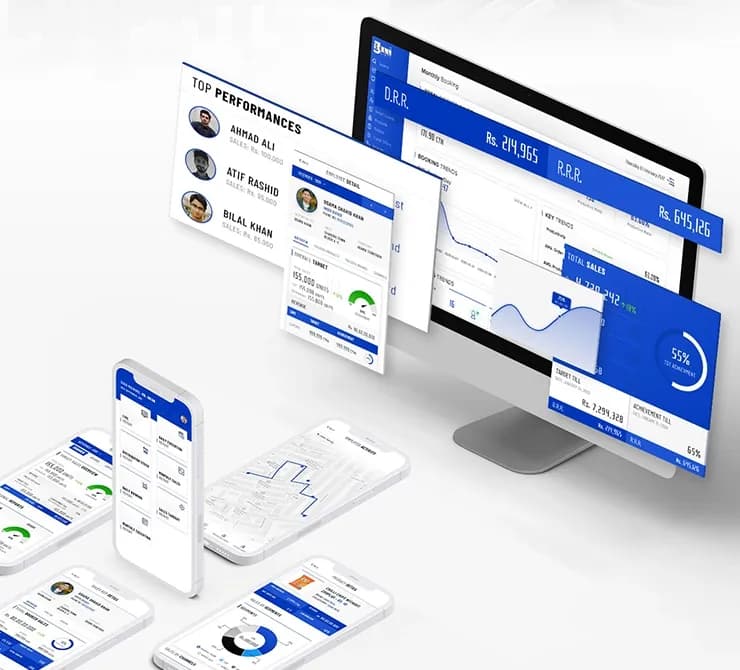 PlaceholderThe whole pictureThe platformYou will use it to
- See how the five pillars fit
- Set up territories and targets once
- Work from one set of records